Flipping Legend is a Flipping Awesome Infinite Runner
Flipping Legend (Free) by Noodlecake Studios Inc and Hiding Spot Games is a fast-paced arcade infinite runner game that takes you on one heck of a flipping hack-n-slash adventure. If you liked other frantic arcade games, such as Penarium, then you will love what Flipping Legend has to offer.
When I have time to spare throughout the day, one of my favorite ways to pass the time is by picking up some kind of arcade game that is fast-paced and lets me chase down high scores, because I know I can always do better than before. Plus, practicing just makes me better, you know? I’ve gone through many arcade games that fit the bill on the App Store, but I don’t think I’ve come across any that have quite the pizazz as Flipping Legend does. Of course, with Flipping Legend coming from Noodlecake Studios, the fine folks who created the Super Stickman Golf series, it’s no surprise that this is a highly addictive title, and it’s a wonder that it wasn’t done before.
App Feels Like
Minecraft: Pocket Edition
Mojang AB
Penarium
Team17 Software, Limited
Visually, Flipping Legend is beautiful and features a charming voxel-style style that is similar to what you would find in Minecraft. However, despite the similarities, Flipping Legend carries more of a retro aesthetic than other games that use the same style, such as Art of Gravity. If you grew up with classic NES games, then you will feel right at home with Flipping Legend. The color palette in Flipping Legend packs in a lot of vibrant shades and even dark, gloomy tones, depending on the area that you are in. To make things feel a bit more real, there’s also a dreamlike blur that shows up in the back (near the top of the screen since it scrolls vertically) that makes it harder to see what is coming up, which just adds to the challenge. Animations are buttery smooth and fluid, with no lag issues on my iPhone 7. The game also has a fun and rocking soundtrack that should delight fans of the genre, and the music is an important part of the game because you’ll want to move along to the beat. Mastering Flipping Legend involves knowing the songs and moving in sync with the rhythm, but this is much easier said than done. Overall, Flipping Legend is a beautiful combination of modern retro aesthetics and amazing music.
Since Flipping Legend is an arcade game, this is definitely a high score chaser and there’s only one mode, which one can think of as an infinite runner style. But to keep things different, Flipping Legend has a bit of an RPG element mixed in, since you get skill points for your characters once they gain enough experience to level up. Experience points are earned for each enemy that you manage to kill during a run, and your score is determined by how far you managed to get, the gold you collect, and your total kills. However, unlike other infinite runner type games, Flipping Legend requires you to master your reflexes and be in tune with the environment through rhythm, as you will be flipping diagonally along a checkerboard-like track, avoiding spike traps and other hazards while killing enemies on squares you land on and collecting items along the way. Plus, your health drains over time, and unless you find a heart, the only way to keep your health up is to kill enemies, since each kill replenishes health. There are several different areas to go through, and once you reach a new area at least five times, you unlock a checkpoint portal to start there, though it will cost some gold coins each time.
Think of Crypt of the NecroDancer, except in an infinite runner style game. While it sounds simple enough at first, as you enter new areas, the challenge and difficulty ramps up fairly significantly.
The controls in Flipping Legend are super simple and intuitive, as it is made specifically for touch screens. To change your lane and move one space ahead diagonally, just tap on the left or right half of the screen. Once your action bar at the bottom fills up, you can perform a backflip by tapping on the orange button the left of the gauge. If your action bar is completely full, that means you are able to perform your character’s secondary skill, which varies from character to character. The Archer, for example, has the skill “Focus,” which lets her automatically target one nearby enemy, and then she will automatically target more foes as she moves a certain number of spaces. To be great at the game, players must learn to go along with the rhythm of the music and environment, and always be alert and ready.
At the moment, Flipping Legend has eight playable characters for players, though only the first three are available from the get-go, which are Ninja, Archer, and Warlock. However, you have to unlock them first by paying 1600 gold each, so you pretty much start off with one until you have enough coin to get another. The other five characters will have to be unlocked by completing challenges, such as getting a kill streak of 50 (consecutive kills), smashing 250 gravestones in the graveyard area, leveling any character to 10, and more. I like these challenges, because they give me a reason to keep coming back to the game, and it helps keep the game fresh and interesting, since you’re always striving to complete a goal.
You get experience points after each run, with the amount earned dependent on how many kills you made and how far you get. When you level up, you get a skill point that can be used for that character’s skill tree to unlock and enhance their abilities. These upgrades include things like recovering more health with each kill, starting off with a shield, holding multiple shields at once, special attacks covering more distance, and more. But be warned — you do need gold, as well as skill points, to get any improvements.
Every now and then, players will be able to get a free chest with a random prize inside, which is selected by a spin. The chest can contain things like experience boost for 10 minutes, various skins for characters you have (some are even rare and legendary), and even lots of gold. The game is fairly generous with these free chests, and all you have to do is watch one ad to unlock it. Honestly, it’s not that bad. Though if you want more chests and goodies, there are some in-app purchases available, including ad removal.
Flipping Legend is an amazing and addictive little arcade game that is perfect for passing some time. The voxel graphics are incredibly well done and will bring a sense of nostalgia to anyone who grew up with classic pixelated games. The music in Flipping Legend is also upbeat, quirky, and fun to listen to, and it helps put you into a rhythm when it comes to the movement. There’s a lot of replay value found in the game, since more characters need to be unlocked by completing challenges, and each hero can even be improved through their skill trees. The game provides an ample amount of challenge for players, and having the option to start at a later area for a small cost is nice to have.
While Flipping Legend is overall a great little arcade game, the gameplay can feel a bit repetitive after a while, so it’s best enjoyed in small bursts throughout the day, at least for me. It can also be a bit frustrating, since you do die a lot, so be prepared for that.
I downloaded Flipping Legend as soon as it was available on the App Store, and I have had a hard time putting it down, honestly. I love voxel graphics, and Flipping Legend has done them beautifully. The music is pretty catchy as well, and I like how it is an integral part of the gameplay. Controls are simple to pick up, but getting the rhythm perfectly will take some time. There is a lot of goals to accomplish that keep the game feeling fresh, and the difficulty of the game means there’s plenty of reason to keep coming back as you try and beat your previous best score. Overall, Flipping Legend is a fantastic high score chaser that is worth a download.
I recommend giving Flipping Legend a try if you are in the mood for a infinite arcade high score chaser. Flipping Legend is available on the App Store as a universal download for your iPhone and iPad for free. There are in-app purchases.
9.2
OVERALL
Game Controls 10
Replayability 9
Graphics 9
Sound/Music 9
Gameplay 9
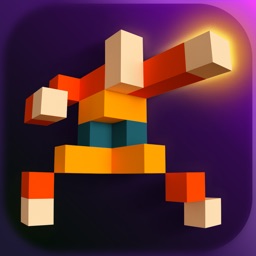
Flipping Legend
Noodlecake Studios Inc
Source link: http://appadvice.com/reviews