
How to downgrade your iPhone from iOS 27 beta to iOS 26
In this step-by-step tutorial, we show you how to downgrade your iPhone from iOS 27 developer beta or public beta back to iOS 26 non-beta. The steps to downgrade your iPad from iPadOS 27 to iPadOS 26 are the same.
Before you get to the steps, it’s important to know that the only way to downgrade from iOS 27 is to fully erase your device and reinstall iOS 26.
While the process isn’t very confusing, it does mean you’ll lose all your current data that isn’t already backed up to iCloud or elsewhere.
Another thing to remember is that full device backups – whether made on your Mac, Windows PC, or in the iCloud – are not backward compatible. This means that even if you back up your iPhone running iOS 27 to a computer or to iCloud, you can’t restore that backup after installing iOS 26. However, if you had backed up your device when it was running iOS 26 and archived that backup, you can restore it after downgrading (but your iPhone will have data from the day you made that archived iOS 26 backup).
In case you already use iCloud to back up individual items like your photos, contacts, reminders, calendar events, etc., just sign in with your Apple Account, and everything will sync back to your downgraded iPhone running iOS 26. You can learn more about it in our guide on downgrading from iOS 26 to iOS 18.
What you need to downgrade
- Mac or Windows PC (Install the Apple Devices app on your PC if not already)
- USB-C or Lightning cable to connect your iPhone to computer. Depending on your computer and cable, you may also need a USB adapter.
- A fast Wi-Fi or Ethernet connection
Downgrade iPhone from iOS 27 beta to iOS 26
1) Make sure all important iPhone data is saved to the cloud or elsewhere.
2) Put your iPhone in recovery mode via one of these two ways:
- Option 1 (the new method): Go to the new recovery screen by shutting down your device and then holding the power button until you see ‘Loading recovery options‘ on the screen. Then, tap Recovery Mode, hit the Restart button, and connect your iPhone to your Mac or PC.

- Option 2 (the good ol’ method): Connect your iPhone to your Mac or PC with a USB cable. Press the volume up and volume down buttons in quick succession, then quickly press and hold the power button until a MacBook with a cable icon appears on the screen.
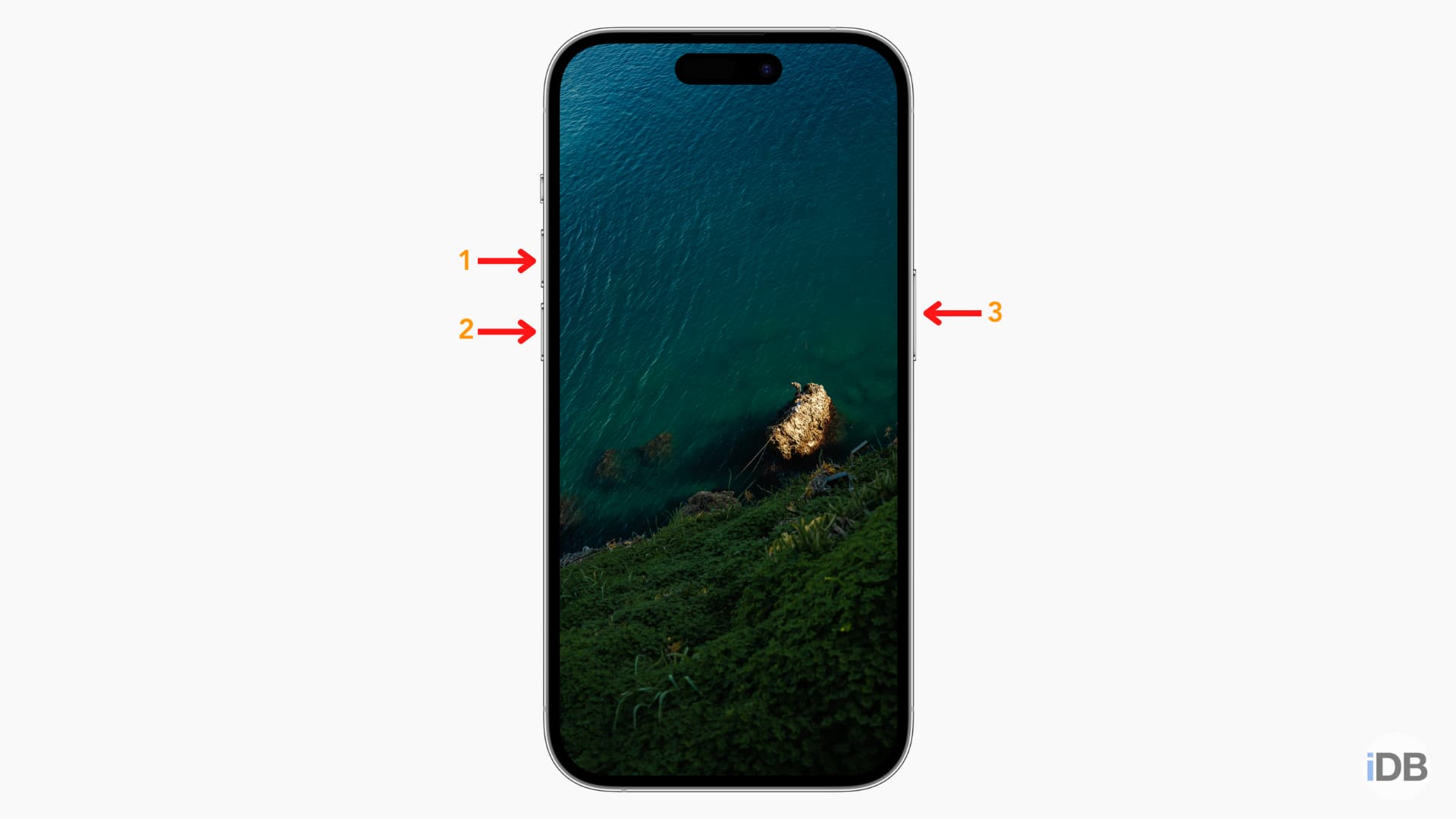
3) Open Finder on Mac (in case it hasn’t opened automatically) and select your iPhone in the left sidebar. If you’re on a Windows PC, open the Apple Devices app instead and select your iPhone.
We’re using a Mac for these steps, but the process is similar on a PC.
4) Since your iPhone is in recovery mode, you’ll get a popup on your computer screen saying “There is a problem with the iPhone that requires it to be updated or restored.” Click Restore here.

Even if you don’t see the above popup, just click the “Restore iPhone” button you’ll see after selecting your iPhone in Finder (see the screenshot below).

5) Click Restore and Update or Restore on the “Are you sure you want to restore the iPhone to its factory settings? All of your media and other data will be erased, and the newest version of the iPhone software will be installed.”

6) Click Next.

7) Agree to the terms and conditions if you do.

8) Your Mac or PC will now start downloading the full iPhone software, which could run into several GB. Initially, it may say it will take several hours to download, but the remaining time should decrease soon, provided you have a good internet connection. Don’t unplug your iPhone from your Mac.

9) Once the download is complete, you should see a popup asking for your confirmation again to restore the device. If you don’t see it, click “Restore iPhone” again.

10) Then, click Restore and Update.

11) You’ll now see the following on your Finder screen (don’t touch your iPhone and Mac so everything happens smoothly):
- Extracting software
- Preparing iPhone for restore
- Restoring iPhone firmware
- Verifying iPhone restore with Apple
- Restoring iPhone software
- Verifying iPhone software
- Verifying iPhone restore
- Restoring iPhone software (again)

12) Once the process is complete, you’ll see a popup that says “Your iPhone has been restored to factory settings, and is restarting. Please leave your iPhone connected. It will appear in the sidebar after it restarts.”

Your iPhone has been successfully downgraded from iOS 27 to iOS 26 (as this is the latest stable version currently offered to non-beta users).

Just set up your iPhone like you did when you first bought it. Make sure to use your Apple Account so data from iCloud can re-appear on your iPhone.

See last year’s guide for more help if needed.
Also, check out: How to install macOS 27 Golden Gate on another partition
Source link: https://www.idownloadblog.com/2026/07/14/downgrade-ios-27-to-ios-26/
