

How to remove all Twitter bookmarks at once from the app or computer
Twitter Bookmarks is a place where you can save Tweets and get back to them later. It’s kind of like bookmarks in a web browser. If you have been using this feature for a long time, you may have bookmarked several Tweets, and unlike web browsers, you can’t sort them in folders, so it may…
Twitter Bookmarks is a place where you can save Tweets and get back to them later. It’s kind of like bookmarks in a web browser. If you have been using this feature for a long time, you may have bookmarked several Tweets, and unlike web browsers, you can’t sort them in folders, so it may be hard to scroll and quickly find a specific bookmarked Tweet.
Thankfully, you can effortlessly clear all bookmarks in just a few taps in case you want to start fresh or have bookmarked several Tweets you no longer need to reference. This tutorial shows you how to remove all Twitter bookmarks using the Twitter app or computer.

How to clear all Twitter bookmarks instantly
Follow the steps below on your mobile phone or computer.
Twitter app
Here’s how to remove all Twitter bookmarks from the app:
- Open the Twitter app and tap your profile picture from the top left.
- Select Bookmarks.
- Choose the three-dots button from the top right.
- Finally, pick Clear all Bookmarks and confirm by tapping Yes, I’m sure.
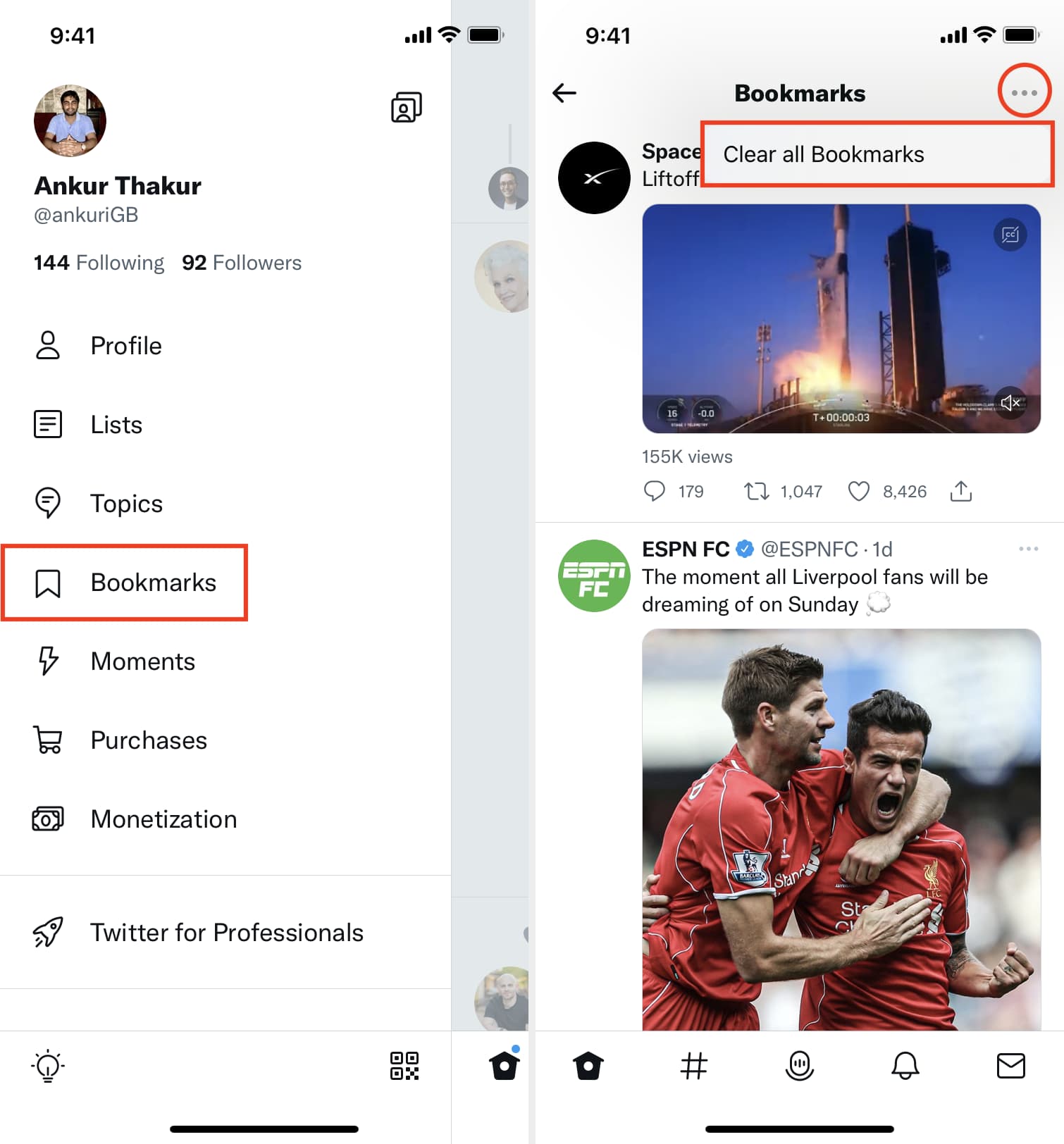
This is how you can get rid of all saved bookmarks on Twitter using the official app. If you just want to remove a specific Tweet, go to the Bookmarks section, tap the share button below a tweet, and tap Remove Bookmark.
On Computer
Follow these steps to clear all Twitter bookmarks in a desktop browser:
- Go to Twitter and click Bookmarks from the left sidebar.
- Click the three-dots button from the top.
- Click Clear all Bookmarks and confirm by choosing Clear.
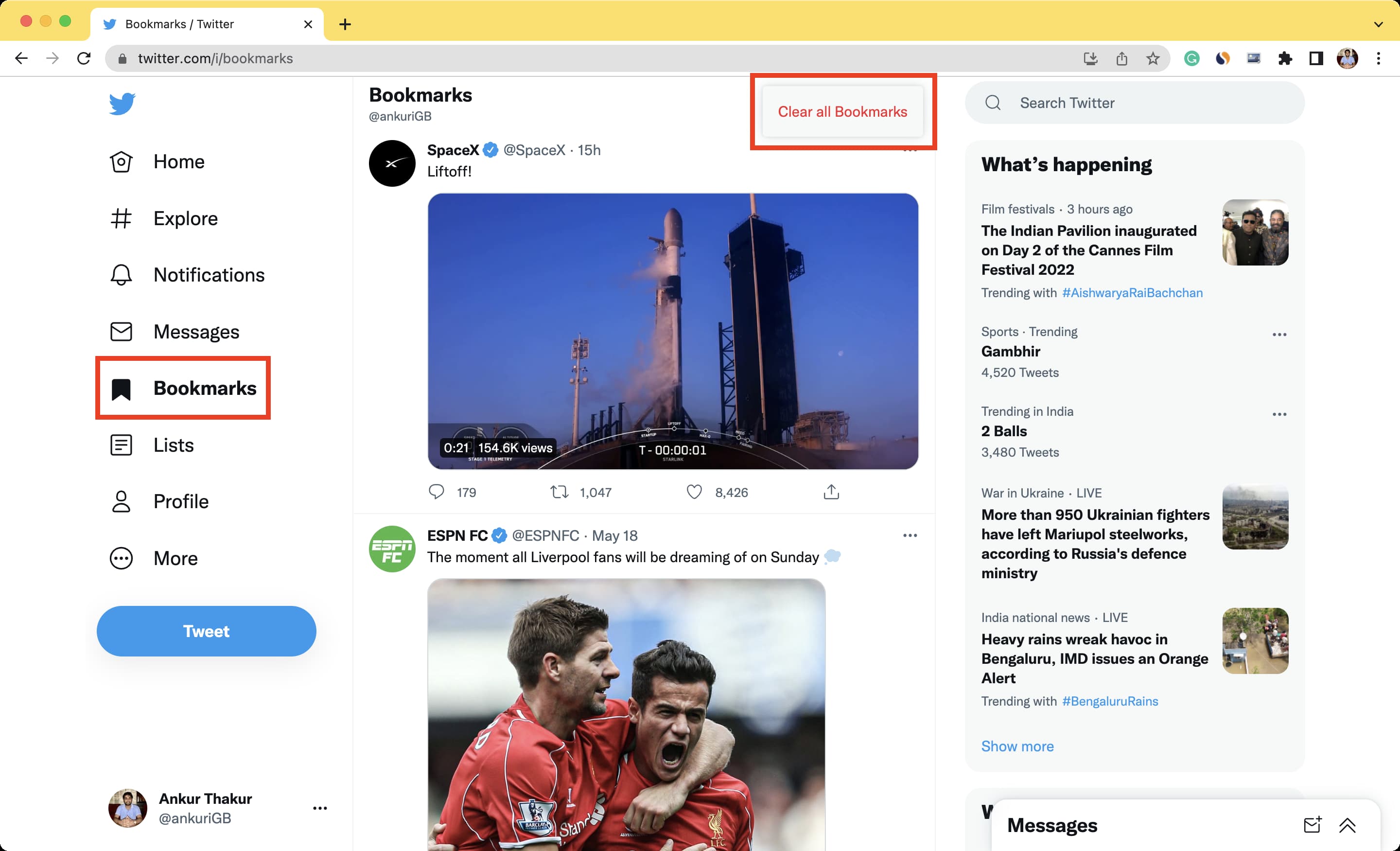
By now, you know how to remove all Twitter bookmarks instantly. If you’re up for some cleaning, then this should help. However, keep in consideration that doing so will remove months of bookmarked Tweets, and there is no reverting this change.
Other Twitter tips:
- 6 ways to download Twitter videos on your iPhone
- How to search any account’s tweets in the mobile Twitter app
- Twitter Circle is for those times when you wanna tweet to a smaller crowd
Source link: https://www.idownloadblog.com/2022/05/31/how-to-remove-all-twitter-bookmarks-at-once/