AppReviewToday- AppReviews

  • Spread Your Pigeon Wings and Fly in This Frantic Arcade Shooter
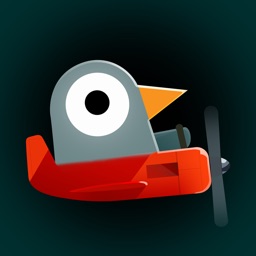
    Pigeon Wings ($1.99) by Ignacio Schiefelbein is a tough-as-nails arcade shooter where pigeons are the only bird that can stop an evil madman from destroying the city. It is just as ridiculous as it sounds, but it’s insanely fun. If you enjoyed titles like Super Samurai Rampage and Steredenn, then you’ll love Pigeon Wings.

    When it comes to mobile gaming, I tend to enjoy it most in quick bursts throughout the day. Over the years, I’ve learned that one of the best genres for these bite-size sessions are arcade games, where I can pick it up and play for a good chunk of time, but put it down just as easily when I need to take care of other things. Plus, for me, shooting things up is a great way to de-stress. When I saw Pigeon Wings on the App Store, I became intrigued by the concept of a pigeon flying in a plane, and shooting’s involved, so I figured why not? I’m glad I picked this one up, because it’s a great mobile game that does not disappoint.

    App Feels Like

    App Feels Like

    $1.99

    Super Samurai Rampage

    Brackish Games

    $3.99

    Steredenn

    Pixelnest Studio

    Visually, Pigeon Wings has a cute, pixelated art style that reminds me a bit of Minecraft and Crossy Road, except it’s rendered in 2-D, with the exception of the level map. However, in addition to the pixelated explosions, plane trails, and buildings, other parts of the game look more modernized, such as the pigeons and planes themselves. The backgrounds you’ll see are gorgeous, featuring various splashes of color and a nice skyline of the city. However, things will be moving too fast for you to enjoy the scenery. Pigeon Wings features a rich and intense color palette, and animations are smooth and fluid on my iPhone 7. There’s also an original soundtrack composed by June or July and Brad Podray. Overall, the team did a great job with Pigeon Wings’ visual and audio design.

    With Pigeon Wings, the game is level-based and has a plot behind everything, which gets unraveled through humorous cutscenes between stages. Players must go through each stage in a linear fashion, and there’s no option to skip a level. If you’re stuck, you’ll just have to keep trying until you clear it. The goal of the game is simple: race other pigeons and rank in the top three to earn medals, or face off against tough boss battles to clear the stage.

    This is one of those games where you’re going to die a lot due to the speed of the game. Fortunately, after a few tries, muscle memory kicks in and you’ll be more familiar with the stage layout. Hopefully it helps you in avoiding the same cause of death from before.

    Controls in Pigeon Wings are simple, intuitive, and responsive. To accelerate, all you have to do is long-press the button in the bottom left corner. To steer your plane up and down, you’ll need to tilt your device back and forth, as the game uses the device gyroscope. I’m not a big fan of motion control games, but Pigeon Wings executes it flawlessly so it doesn’t feel awkward. You can follow closely behind another pigeon to catch a draft, and then tap on the button in the bottom right to boost through the competition. This button is also used to shoot your guns in stages with boss fights.

    As you complete stages and place in the top three, you’ll earn medals, which are converted into currency. You can spend these in the hangar to get various upgrades for your plane, such as more powerful engines, better handling controls, and boosts. There are no in-app purchases, so the only way to get more medals is to perform better in races.

    An adrenaline packed challenge with tons of speed as you guide the pilot pigeon.

    Pigeon Wings is a fast paced arcade shooter that is downright delightful. It's definitely a challenging game, as you'll die plenty of times, but it is funny and eccentric enough to keep you coming back for more. The graphics are adorable and stylish, and the music is fun to listen to. There's a ton of levels so you do get your money's worth, and the replay value is high because you'll want to try again and get a better rank. The upgrade system is also a great motivator.

    While I think Pigeon Wings is a fantastic mobile game, it definitely isn't for everyone. If you get easily frustrated or don't like dying over and over, then this may not be the game for you. It's also impossible to change the controls, so if you despise using the gyroscope for games, then you're out of luck. Personally, though, I find the controls to work incredibly well for what it's worth. It does take a bit of getting used to, but after that it's golden.

    The verdict

    Even though I’ve only spent a short time with Pigeon Wings so far, I am in love. The graphics look fantastic on Retina screens, and the music is a delight to hear. Usually I’m not a fan of gyroscope controls, but the way they’re implemented in Pigeon Wings is flawless, and it didn’t take that long for me to get used to them. They feel natural and intuitive, along with the button positioning. The gameplay itself is fast but doable, and while you die a lot, there’s plenty of reason to keep coming back. Plus, how can anyone resist a game where a pigeon is all that stands between a city and total annihilation?

    I highly recommend grabbing Pigeon Wings if you’re in the mood for some humorous arcade shooting action. You can find Pigeon Wings on the App Store as a universal download for your iPhone, iPad, and Apple TV for just $1.99. There are no in-app purchases.

    9.3

    OVERALL

    Gameplay 10

    Replayability 9

    Game Controls 9.5

    Graphics 9

    Sound/Music 9

    $1.99

    Pigeon Wings

    Ignacio Schiefelbein

    Source link: http://appadvice.com/reviews
  • Neo Angle is a Beautiful Retro Puzzle Experience

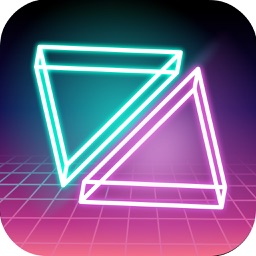
    Neo Angle ($0.99) by Dropout Games is a puzzle game that is full of retro goodness. If you grew up in the ‘80s, then this game will feel right at home for you. It’s from the same guys behind other great puzzle games like Blyss and UNWYND. It’s similar to other titles like Resynth and Linelight.

    I get stressed out pretty easily, but I’ve always found peace and solace with video games — they’re my ultimate de-stressor. And while I love a large variety of video games, the best genre to help me unwind after a long and stressful day are puzzle games. These are the types that are usually relaxing but keep my brain stimulated, because I hate letting it go to waste. While it feels like I’ve gone through pretty much all puzzle games on the App Store while I’ve been here at AppAdvice, I’m always on the lookout for new ones. When I saw that Neo Angle was available and from the makers of Blyss (great game), I was excited to give it a try.

    App Feels Like

    App Feels Like

    $0.99

    Blyss

    Dropout Games Private Limited

    Free

    UNWYND

    Dropout Games Private Limited

    $1.99

    Resynth

    Polyphonic Lp Pty Ltd

    $1.99

    Linelight

    Brett Taylor

    Visually, Neo Angle is full of vintage ‘80s flair. The game falls under the minimalistic puzzle game category, so you can expect simple and clean graphics here. The game features various colored gradient backgrounds sprinkled with stars to give off a galactic feel, and it all helps the brightly colored neon lines stand out in the foreground. Animations are pretty smooth and fluid, with no issues of lag on my iPhone 7. To top off the retro aesthetic, Neo Angle is full of ‘80s inspired synth pop music, so it’s definitely one that you’ll be jamming to while you play. As someone who grew up in the late ‘80s, I can totally appreciate the look and feel that Neo Angle is going for.

    Like many puzzle games, Neo Angle is level-based, and players go through each stage chronologically. The goal in Neo Angle is simple enough: pick up all of the fuel cells (spinning pink pyramids) and then head to the exit. However, while it starts off easy and straightforward, the difficulty picks up gradually as new traps and obstacles are introduced. And once you choose your path, you can’t turn back, so think before you move!

    The control scheme in Neo Angle is easy enough for anyone to pick up. You control a pink triangle (think of a square cut in half diagonally), and you can move horizontally or vertically along the grid. The game has a bit of an angled top-down perspective, so your movement appears more diagonal than it should be. Tell your triangle what direction to move in with a swipe of your finger. But as you move, the space behind you lights up, indicating that you can’t go backwards. More traps and hazards get introduced as you advance in the stages, which make movement even more tricky.

    However, while the controls work for the most part, I did find that sometimes the direction the triangle moves in did not match my swipe exactly. Depending on the level, sometimes it thinks I wanted to go down, when instead I was trying to go right. Hopefully the controls can be a bit more refined in a future update.

    Another thing I noticed is that while there is a restart button in the top right corner for those times when you just want to start over, there’s no undo button. When you add in the fact that sometimes the swipes aren’t registered correctly, the lack of an undo button is annoying. If I know I moved incorrectly, I would prefer just going back one step at a time, rather than starting the stage from the very beginning. Honestly, it’s a bit weird that a puzzle game does not have an undo button — it’s just something you’d expect from a game in this category.

    On the plus side, Neo Angle does not have move restrictions or time limits. The only thing that you must do is collect all of the fuel cells before you’re able to exit the stage and advance forward.

    A neon infused and 80s inspired puzzle challenge with geometric shapes.

    Neo Angle is a challenging puzzle game that will get your brain working. The visuals are a great homage to the classic ‘80s, and the music is definitely something you can groove to. The puzzles themselves start off easy enough, but as more obstacles are added, the difficulty picks up but at a gradual, never overwhelming pace. For the price, you get 80 levels, and it’s an excellent way to pass the time.

    While Neo Angle is a fun and challenging puzzle, it isn’t without its own set of flaws. If you choose to replay a stage, you’ll have to go through the levels one-by-one on the level select screen, as there’s no way to view a bunch of completed ones at once. Another flaw is the lack of an undo button, so if you make a mistake, you’ll have to press restart and start from scratch. In the beginning stages, this may not be a big deal, but it can be a hassle on later levels.

    The verdict

    If you’re searching for a relaxing but stimulating puzzle game, then Neo Angle is a good option to consider. I’m enjoying it myself as a big puzzle fan. The retro graphics are fun to look at, and the music is delightful. The tutorial explains all of the basics to you, though it’s still pretty straightforward even without it. I do hope that the controls get a bit of refinement and an undo button is added in the future. Still, Neo Angle is a nice game for those who enjoy logic problems.

    Neo Angle is available on the App Store as a universal download for your iPhone and iPad for just $0.99. There are no in-app purchases.

    7.8

    OVERALL

    Sound/Music 9

    Graphics 8

    Gameplay 8

    Replayability 7

    Game Controls 7

    $0.99

    Neo Angle

    Dropout Games

    Source link: http://appadvice.com/reviews